How to Use Proof NFT Bot
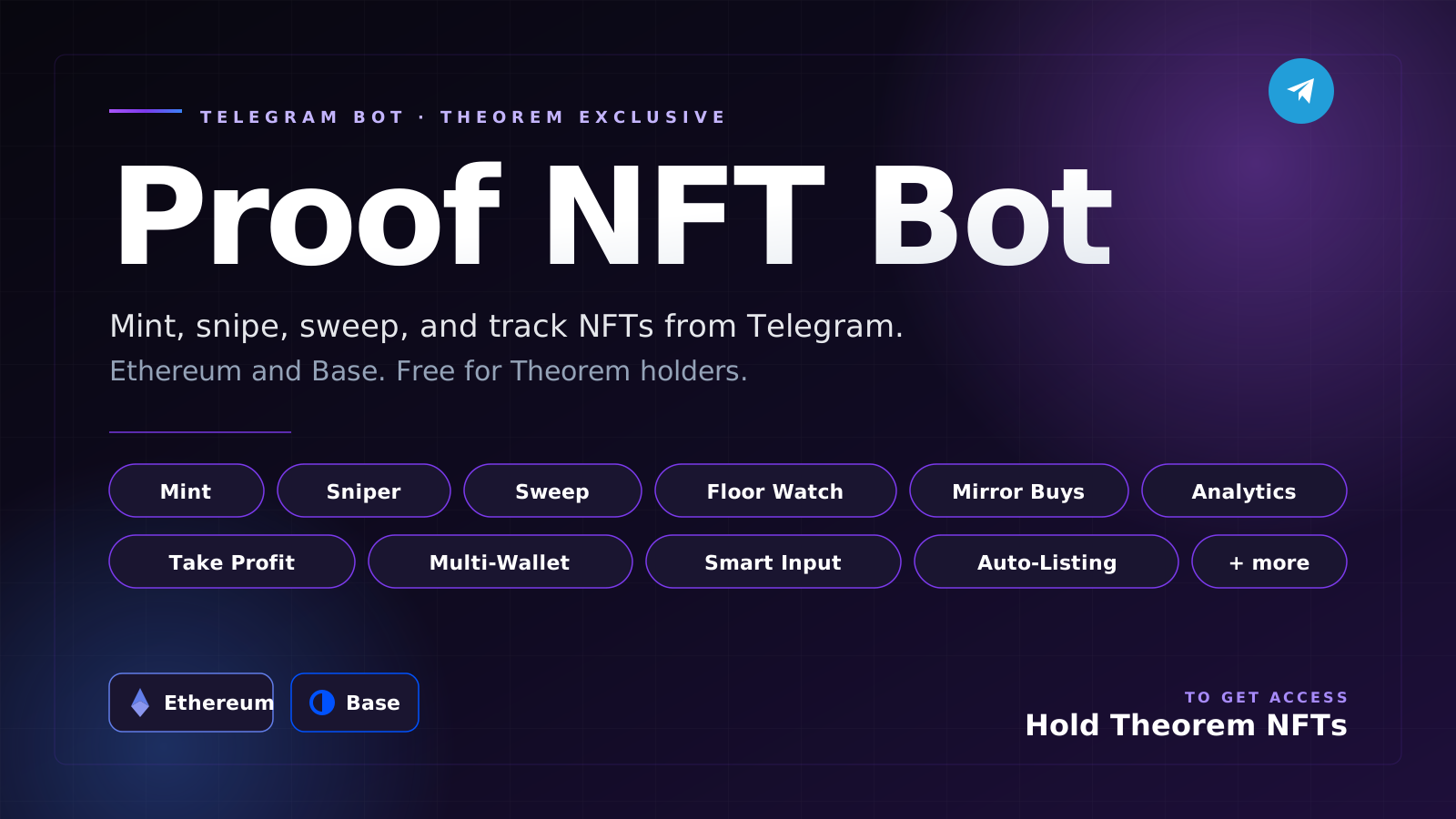
Proof NFT Bot is a Telegram-based NFT assistant for THEOREM holders. It helps you monitor collections, track floors, manage wallets, mint directly from public contracts, list NFTs, sweep floors, transfer assets, and review trading activity from one Telegram chat.
- Bot link: https://t.me/ProofNFT_bot
- THEOREM secondary marketplace: https://opensea.io/collection/theoremnft-official
Proof NFT Bot is built for Ethereum and Base. Always review every transaction before confirming it. NFT trading and minting involve real funds and irreversible blockchain transactions.
1. Getting Access
Proof NFT Bot is gated for THEOREM NFT holders.
To start:
- Open Proof NFT Bot on Telegram.
- Tap Start or send
/start. - The bot will ask you to verify a wallet that holds a THEOREM NFT.
- Send the public wallet address that holds your THEOREM NFT.
- The bot generates a unique verification code.
- Add that code to the bio of the matching wallet's OpenSea profile.
- Return to Telegram and tap I updated my bio.
- The bot checks both your OpenSea bio and THEOREM ownership.
You can get a THEOREM NFT from the secondary marketplace:
https://opensea.io/collection/theoremnft-official
Important
The holder verification process does not require your private key. You only provide a public wallet address and prove control by editing the OpenSea profile bio for that wallet.
The bot periodically re-checks whether verified users still hold THEOREM. If the NFT leaves your verified wallet, access may be paused until you verify again.
2. Main Menu
After verification, the bot shows the main feature menu.
Core actions include:
- Mint: Mint NFTs through direct public contract minting or supported drop flows.
- Floor: Check collection floor prices and set floor alerts.
- List: List owned NFTs on OpenSea.
- Sweep: Simulate and execute floor sweeps.
- Sniper: Watch for listings that hit your target price.
- Mirror: Monitor another wallet and mirror selected buying behavior.
- Transfer: Send ETH or NFTs.
- Wallets: Import, create, switch, or remove bot wallets.
- Settings: Configure chain, gas, live trading, AI helpers, and alerts.
- Analytics: Review bot-tracked activity and PnL.
- Take Profit: Automatically list an owned NFT when a target floor is reached.
You can also paste useful inputs directly into chat, such as:
- OpenSea collection URLs
- Collection slugs
- Contract addresses
- Wallet addresses
The bot will try to route you to the correct feature.
3. Wallets
The bot needs a wallet only for actions that require signing transactions, such as minting, listing, sweeping, transfers, and sniping.
Open Wallets to:
- Import an existing wallet.
- Create a new wallet.
- Switch your active wallet.
- Remove a wallet from the bot.
- View ETH and Base balances.
Importing a Wallet
- Open Wallets.
- Choose Import Wallet.
- Send the private key when prompted.
- The bot deletes the Telegram message when possible.
- Set the imported wallet as active.
Creating a Wallet
- Open Wallets.
- Choose Create Wallet.
- The bot generates a wallet and shows the private key once.
- Save the private key securely outside Telegram.
Active Wallet
The active wallet is the wallet used for live actions. Before minting, listing, sweeping, transferring, or sniping, make sure the correct wallet is active.
4. Settings
Open Settings before using live trading.
Recommended settings to review:
- Default Chain: Choose Ethereum or Base.
- Gas Mode: Choose smart, slow, normal, fast, or instant depending on your risk and urgency.
- Priority Tip: Set minimum priority fees for Ethereum and Base.
- Live Trading: Keep disabled while testing. Enable only when you want the bot to send real transactions.
- AI Settings: Enable or disable AI-assisted input parsing and clearer error explanations.
- Notifications: Control alerts for floors, mints, and sniper events.
Safe Testing
Keep live trading disabled while learning the bot. In safe mode, the bot can still show previews, simulations, and setup flows without broadcasting transactions.
5. Minting
Open Mint to choose a mint path.
Proof NFT Bot supports two broad mint paths:
- Contract Mint for public mint contracts.
- SeaDrop / OpenSea Mint for supported OpenSea-style drop discovery and routing.
Contract Mint
Use Contract Mint when the NFT can be minted directly from its public contract.
Steps:
- Open Mint.
- Choose Contract Mint.
- Paste the mint contract address.
- Choose the chain if needed.
- The bot attempts to detect the likely public mint function.
- Confirm or edit the function signature.
- Enter quantity, mint value, and arguments if needed.
- Review the transaction preview.
- Send now or schedule the mint for a specific time.
Common public mint function shapes include:
mint()
mint(uint256)
publicMint(uint256)
mint(address,uint256)
claim(uint256)
purchase(uint256)
Scheduled Contract Mints
You can schedule a public contract mint for a future time.
Use this when:
- A mint starts at a known time.
- You want the bot ready without manually returning at launch.
- The contract mint function and value are already known.
Before scheduling, confirm:
- Contract address
- Chain
- Function signature
- Quantity
- ETH value
- Wallet balance
- Gas settings
OpenSea / SeaDrop Discovery
Use the SeaDrop / OpenSea path when you have an OpenSea collection slug or URL.
Steps:
- Open Mint.
- Choose SeaDrop / OpenSea Mint.
- Paste a collection slug or OpenSea collection URL.
- The bot fetches public drop details.
- If a public contract is available, the bot may route you to direct Contract Mint.
- Review phases, price, chain, and status before taking action.
Example OpenSea URL:
https://opensea.io/collection/example-collection/overview6. Floor
The Floor feature checks current collection floor data and can create alerts.
Use it to:
- Check a collection floor.
- Track floor movement.
- Receive alerts when floor changes by your configured percentage.
Steps:
- Open Floor.
- Paste a collection slug, OpenSea URL, or contract address.
- Review the returned floor price.
- Choose whether to set an alert.
Useful inputs:
theoremnft-official
https://opensea.io/collection/theoremnft-official
0x...
7. Listing NFTs
The List feature helps you list NFTs from your active wallet on OpenSea.
Steps:
- Open List.
- The bot checks NFTs in your active wallet.
- Select an NFT or enter it manually as
contract_address:token_id. - Enter the listing price in ETH.
- Choose whether to enable auto-undercut.
- Confirm the listing.
Manual format:
0xContractAddress:1234Auto-Undercut
Auto-undercut watches competing listings and can update your listing price when another listing undercuts yours.
Use this carefully. Auto-undercut is useful for competitive collections, but it can lower your listing price over time.
8. Sweep
The Sweep feature helps buy multiple floor NFTs from a collection.
Steps:
- Open Sweep.
- Paste a collection slug, OpenSea URL, or contract address.
- Choose how many NFTs to sweep.
- Enter the maximum price per NFT.
- Review the simulation.
- If live trading is enabled, confirm the live sweep.
The simulation shows:
- Selected listings
- Skipped listings
- Estimated total ETH
- Maximum price limit
Auto-Sweep
Auto-sweep can monitor a collection and trigger when enough listings are available within your max price.
Use auto-sweep only when you understand the risk of autonomous buying.
9. Sniper
The Sniper feature watches a collection and attempts to buy when the floor reaches your target price.
Steps:
- Open Sniper.
- Paste the collection slug, URL, or contract address.
- Set the target buy price.
- Choose the wallet and chain.
- Arm the sniper.
When the price condition is met, the bot can attempt one guarded buy if live trading is enabled.
Recommended sniper safety:
- Use a strict max price.
- Keep enough ETH for gas.
- Start with safe mode until you trust the flow.
- Avoid using sniper on highly volatile collections without monitoring.
10. Mirror
The Mirror feature watches another wallet's NFT buying activity and can copy selected floor buys.
Steps:
- Open Mirror.
- Enter the wallet you want to monitor.
- Choose your buyer wallet.
- Set a max price.
- Arm the mirror job.
The bot watches OpenSea sale events and compares available floor listings against your max price.
Use this carefully. Mirror trading can copy bad trades if the target wallet makes poor decisions or if floor conditions change.
11. Transfer
The Transfer feature sends ETH or NFTs from your active wallet.
Use it for:
- ETH transfers
- ERC-721 NFT transfers
Before confirming, always verify:
- Recipient address
- Chain
- Asset
- Amount or token ID
- Gas estimate
Blockchain transfers cannot be reversed.
12. Take Profit
The Take Profit feature automatically lists an owned NFT when a collection floor reaches your chosen target.
Steps:
- Open Take Profit.
- Enter the NFT as
contract_address:token_id. - The bot verifies that your active wallet owns it.
- Enter the trigger floor.
- Enter your desired listing price.
- Choose whether to enable auto-undercut.
- Arm the job.
Example:
0xContractAddress:1187When the collection floor crosses your trigger, the bot attempts to create the listing if live trading is enabled.
13. Analytics
The Analytics feature summarizes bot-tracked activity.
It can help you review:
- Purchases
- Listings
- Sales
- Mint activity
- Sweep activity
- Approximate PnL
Analytics are based on events the bot tracks. If you trade manually outside the bot, some activity may not appear unless the bot later detects it.
14. AI Settings
Proof NFT Bot can use AI to make the chat experience smoother.
AI-assisted features may include:
- Input parsing
- Contract mint suggestions
- Cleaner Telegram error explanations
- Routing pasted links or addresses to the correct feature
You can turn AI features on or off from Settings.
The bot should still work without AI. AI is a helper layer, not the trading engine.
15. Useful Commands
Common Telegram commands:
/start
/menu
/wallets
/mint
/floor
/list
/sweep
/sniper
/transfer
/settings
/analytics
/whoami
If the menu feels stuck, send:
/startor return to:
16. Safety Checklist
Before live trading:
- Verify you are using the correct active wallet.
- Confirm your default chain.
- Keep enough ETH for mint/listing/sweep plus gas.
- Review live trading status in Settings.
- Test flows in safe mode first.
- Never share your private key outside the bot.
- Rotate keys if they were ever pasted somewhere unsafe.
- Start with small transactions.
Before minting:
- Confirm the contract address.
- Confirm the function signature.
- Confirm quantity and ETH value.
- Simulate when possible.
- Check wallet limits and allowlist requirements.
Before sweeping or sniping:
- Set a strict maximum price.
- Re-check collection identity.
- Understand that floor listings can change quickly.
- Avoid autonomous trading if you are not actively monitoring.
17. Troubleshooting
The bot says I need THEOREM access
Buy or transfer a THEOREM NFT to a wallet you control, then restart verification.
Marketplace:
https://opensea.io/collection/theoremnft-official
The bot cannot see my OpenSea bio code
Try these steps:
- Make sure the code is saved in the OpenSea profile bio for the exact wallet you sent.
- Wait a minute for OpenSea to update.
- Tap verify again.
- Confirm the wallet still holds THEOREM.
The bot cannot find my NFT
Try manual input:
contract_address:token_idAlso confirm the NFT is on Ethereum or Base and held by your active wallet.
A live action failed
Common causes:
- Live trading is disabled.
- Wallet has insufficient balance.
- OpenSea listing changed or disappeared.
- Contract reverted.
- Gas settings were too low.
- Wrong chain selected.
- API or RPC temporarily failed.
A mint failed
Common causes:
- Mint is not live yet.
- Contract function was wrong.
- Mint value was wrong.
- Wallet is not allowlisted.
- Wallet mint limit was reached.
- Collection sold out.
- RPC rejected or delayed the transaction.
18. Best Practices
Use Proof NFT Bot as a trading assistant, not as a substitute for judgment.
Recommended workflow:
- Verify THEOREM access.
- Add or import a wallet.
- Check settings and default chain.
- Test non-live features first.
- Use Floor, List, and Transfer with small actions.
- Try Contract Mint with a known public mint contract.
- Use Sweep, Sniper, Mirror, and Take Profit only after you understand live trading behavior.
19. Quick Links
- Proof NFT Bot: https://t.me/ProofNFT_bot
- THEOREM on OpenSea: https://opensea.io/collection/theoremnft-official
20. Disclaimer
Proof NFT Bot interacts with blockchain wallets, NFTs, marketplaces, and smart contracts. Transactions are irreversible. Prices, listings, mint phases, gas fees, and API responses can change quickly.
Always verify details before confirming any transaction. Use autonomous features only with strict limits and only when you understand the risks.
Updated 9 days ago